Photo From Emoji
Turn any photo into a bold emoji mosaic right in your browser.
This free emoji mosaic maker rebuilds your image with curated emoji tiles, keeps the processing local, and exports a clean PNG without signup or server uploads. Looking for something different? Try our AI face-to-emoji converter for expression-matched emoji art.
Upload and tune
Everything stays in your browser.
Analysis
Smaller values create finer mosaics.
Higher values add more emoji variety.
Higher values allow airier emojis into the pool.
Style
Controls the final download dimensions.
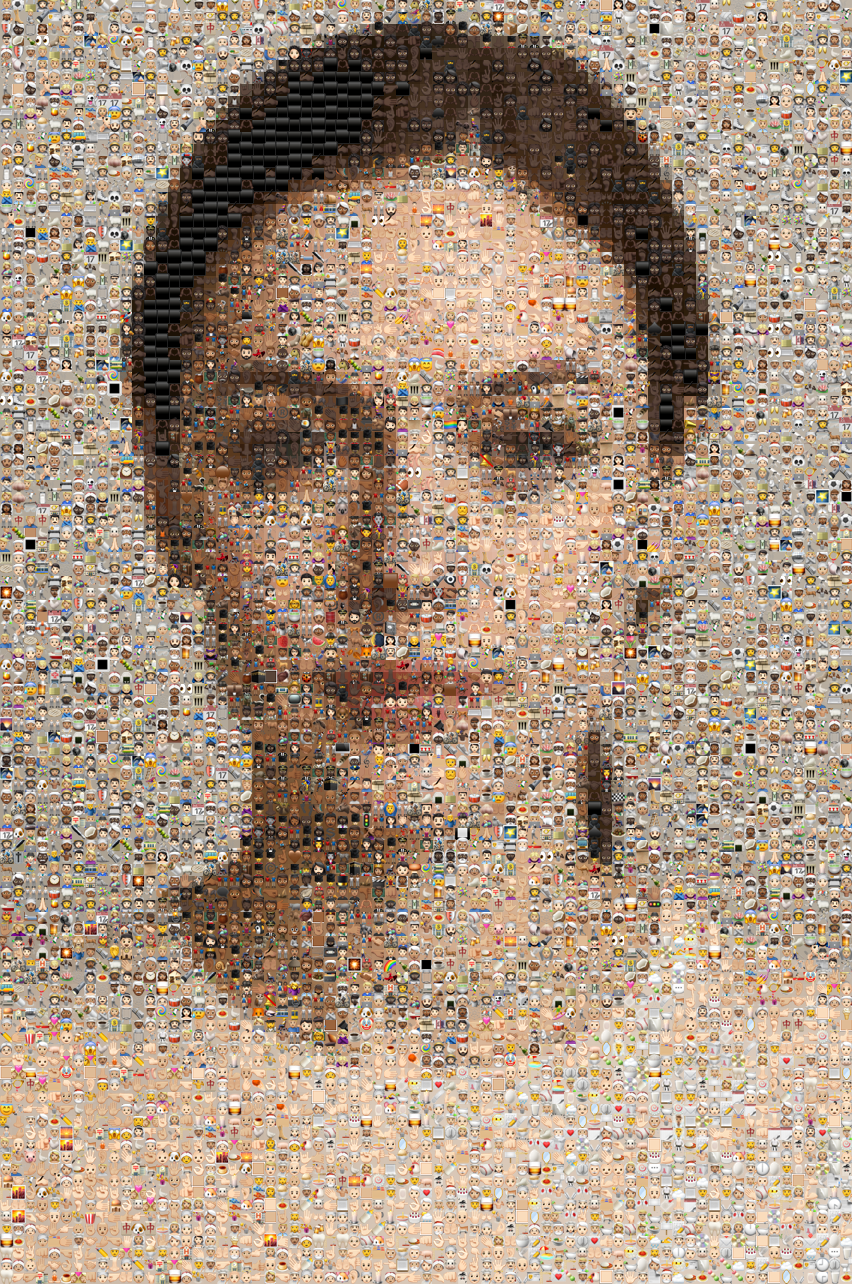
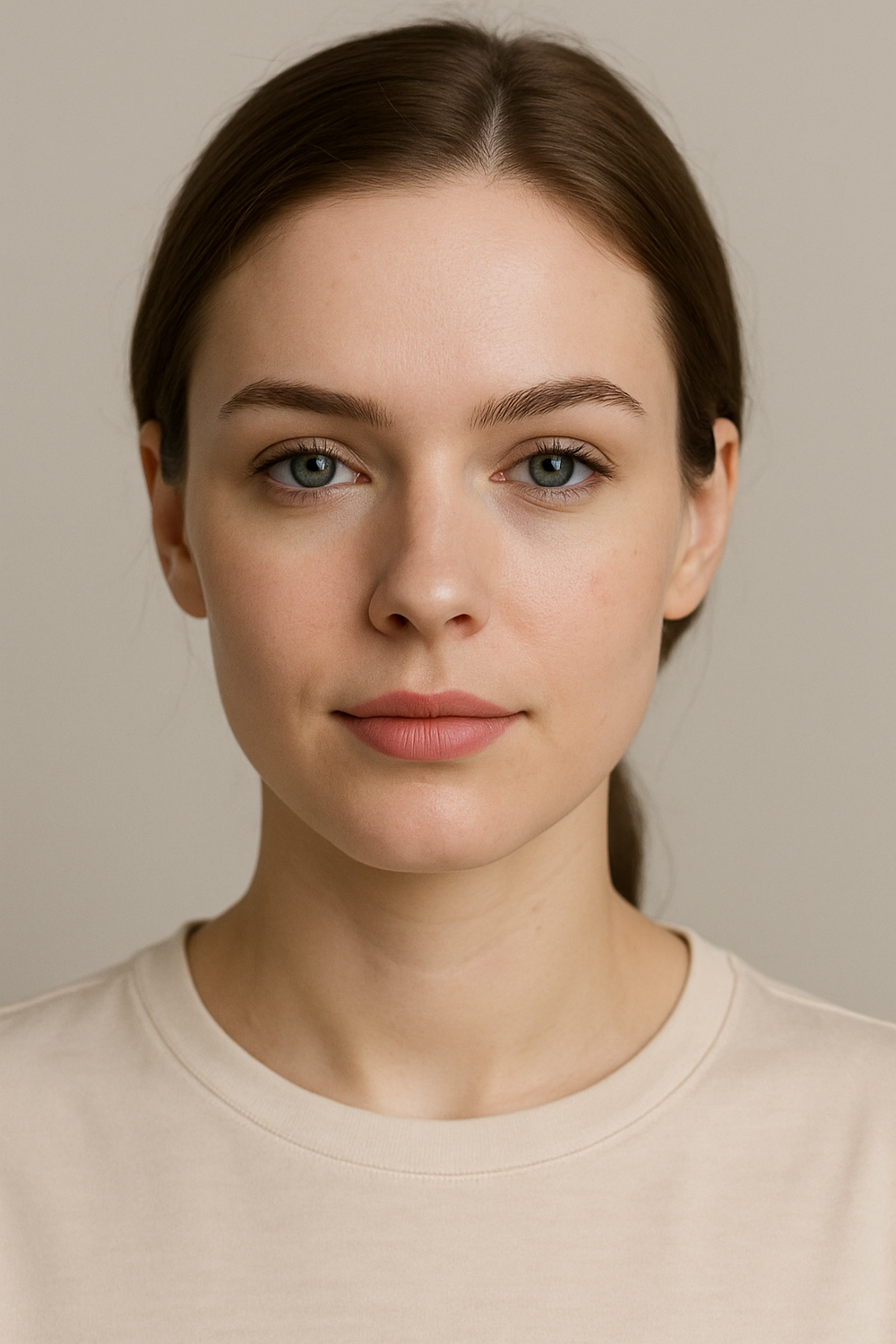 Original
How It Works
From pixels to emoji art in three clean steps.
The workflow is intentionally lightweight: local decode, block-based color sampling, emoji matching, then fast PNG export with output limits that protect mobile browsers from oversized canvases.
Upload a source image
Choose a JPG, PNG, or WEBP file from your device. The page prepares a local working canvas capped at 2 400 px on the long edge so the mosaic holds onto more detail without overwhelming the browser.
Tune the mosaic density
Adjust analysis window size, emoji size, and match tolerance to push the result toward crisp detail or playful abstraction.
Download the PNG
The tool renders your mosaic locally, applies safe output limits for mobile browsers, and gives you a clean PNG ready to share.
Settings Guide
Small controls, big differences.
These controls are tuned for v1 speed: enough range to shape the look, without the bloat of multiple render modes or server-side presets.
Analysis Window
Controls how much of the photo each emoji block represents. Lower values give more detail and more emojis. Default is 14 px for a balanced starting point.
Emoji Size
Changes the exported tile size and overall PNG dimensions without re-uploading the image.
Match Tolerance
Higher values loosen strict color matching to create a more varied, lively emoji palette.
Allowed Empty Space
Filters out emojis that leave too much blank room inside each tile. Lower values bias toward denser emoji shapes, which usually reads closer to the original photo.
Display Mode
Switch between tighter grid rendering and looser mosaic or chart styles. This changes the visual texture without changing the source photo.
Emoji Fill Color
Optional color backing for each tile. Keep it off for a cleaner, original-style emoji mosaic or turn it on if you want a denser posterized look.
Hide Dark Areas
Skips fully black or empty regions so dark backgrounds do not get filled with heavy black emoji tiles.
Privacy First
Why browser-only processing matters.
Most online image tools require you to upload photos to a remote server. That creates a privacy trade-off: your images pass through third-party infrastructure, may be cached, and depend on someone else’s data-retention policy. This emoji mosaic maker takes a different approach — every step happens locally in your browser using the Canvas API and Web Workers.
The result is faster, too. There is no upload or download latency, no waiting for a server queue, and no dependency on network speed. Once the page loads, the tool works offline.
Browser-only also means no account, no rate limit, and no data retention. You can generate as many mosaics as you like without signing up, and nothing is stored once you close the tab. Read more about the technology behind our tools in how face-to-emoji transformation works.
Use Cases
Who this emoji art tool is for.
The result sits between posterized pixel art and playful social design, which makes it more flexible than a novelty filter.
Social media profile pictures
Give your avatar a lo-fi editorial look that stands out in thumbnail size. Emoji mosaics hold their visual punch even at 100 × 100 px.
Instagram and TikTok story slides
Create eye-catching story content without needing design software. Export the PNG and drop it straight into your story editor.
Event flyers and party invitations
Build a poster from the guest of honor's photo for birthdays, retirements, or team celebrations. The emoji grid adds a playful, personal touch.
Classroom and workshop demos
Use emoji mosaics to teach concepts like pixel sampling, color quantization, and image compression in a visual, engaging way.
Digital art and creative projects
Combine emoji mosaics with other effects for collage work, album art, or zine illustrations. The PNG export integrates into any design workflow.
Slack and Discord profile customization
Stand out in team chats with a mosaic avatar. The browser-based workflow means you can generate one during a meeting without installing anything.
FAQ
Common questions about photo from emoji.
Does this page upload my image?
No. This tool is intentionally browser-only. Your file stays on your device while the page builds the emoji mosaic. No image data leaves your browser at any point.
Why does the PNG sometimes export smaller than expected?
Very large emoji sizes can exceed mobile browser canvas limits. When that happens, the page scales output down automatically and shows a notice instead of failing.
What image formats does the photo from emoji tool support?
JPG, PNG, and WEBP. The tool decodes images locally in the browser using the Canvas API, so any format your browser supports will work. RAW camera files and HEIC should be converted first.
Can I use this emoji mosaic maker on my phone?
Yes. The tool runs entirely in the browser and is optimized for mobile. If the output would exceed mobile canvas limits, it automatically scales down and shows a notice rather than failing.
How do I get more detail in my emoji mosaic?
Lower the Analysis Window size — try 8–10 px instead of the default 14 px. This creates more emoji tiles per row, which preserves finer detail from the source photo. The tradeoff is a larger PNG file and longer processing time.
Can I use the exported PNG commercially?
The emoji mosaic you create is your own work. The emojis themselves are rendered by your browser's system font, and the tool adds no watermark or usage restriction to the output. See our terms of service for details.
What makes this different from an emoji filter or sticker app?
Filters overlay emojis on top of a photo. This tool replaces the photo pixels entirely with color-matched emoji tiles, producing a true mosaic where the image emerges from the emoji grid itself.
Is there a file size or resolution limit?
The tool caps the working canvas at 2 400 px on the long edge to keep processing fast. There is no strict file-size limit — your browser handles decoding, so anything it can open will work.